Overlay
The overlay draws live information on top of the game. Press Ctrl+Shift+4 to
show or hide it, and Ctrl+Shift+1 to unlock it for editing.
Party DPS meter
The party meter ranks everyone in capture range by damage for the current encounter, with the encounter timer at the top.
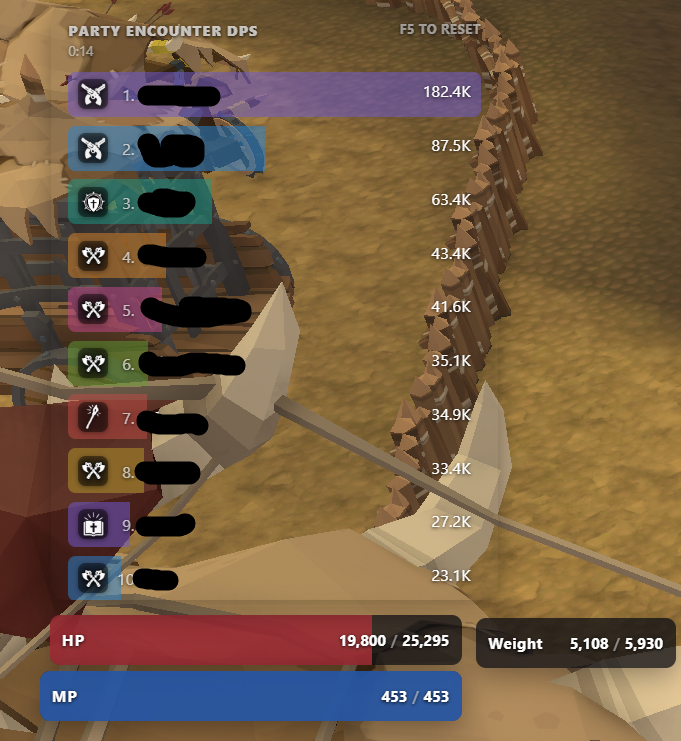
Press Ctrl+Shift+5 to cycle the meter between views, and Ctrl+Shift+2 to
reset the session. Because capture is proximity-based, DPS for other players
drops when they move out of range.
HP, MP, and weight
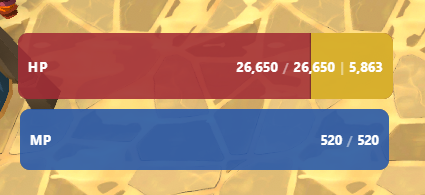
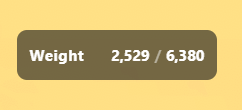
The HP bar shows current and maximum health, with the shield value alongside when you have one. The weight tile shows your current load against your capacity.
Buffs, debuffs, and toggles
The buff bar groups active effects into Toggles, Debuffs, and Buffs, each with its remaining duration.
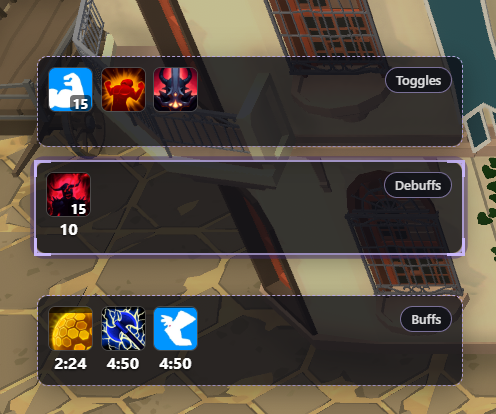
Selecting buffs to warn on is covered in Settings.
Minimap and loot
The minimap tile shows nearby loot drops around your position, filtered by the rarity and drop-chance thresholds set in Settings > Minimap / Loot.
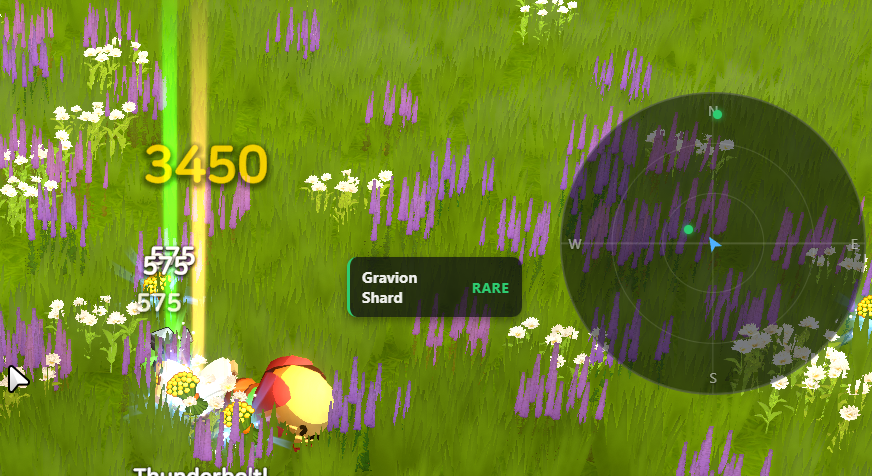
XP and gold trackers
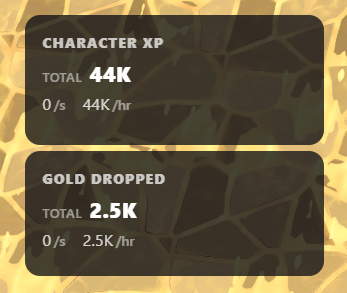
Each tracker shows a running total plus per-second and per-hour rates.
Ctrl+Shift+6 resets all-time XP and Ctrl+Shift+7 resets all-time gold.
Editing the layout
Press Ctrl+Shift+1 to unlock the overlay. Drag tiles to arrange them,
right-click a tile to enable or disable it, and toggle the alignment grid from
the edit bar.

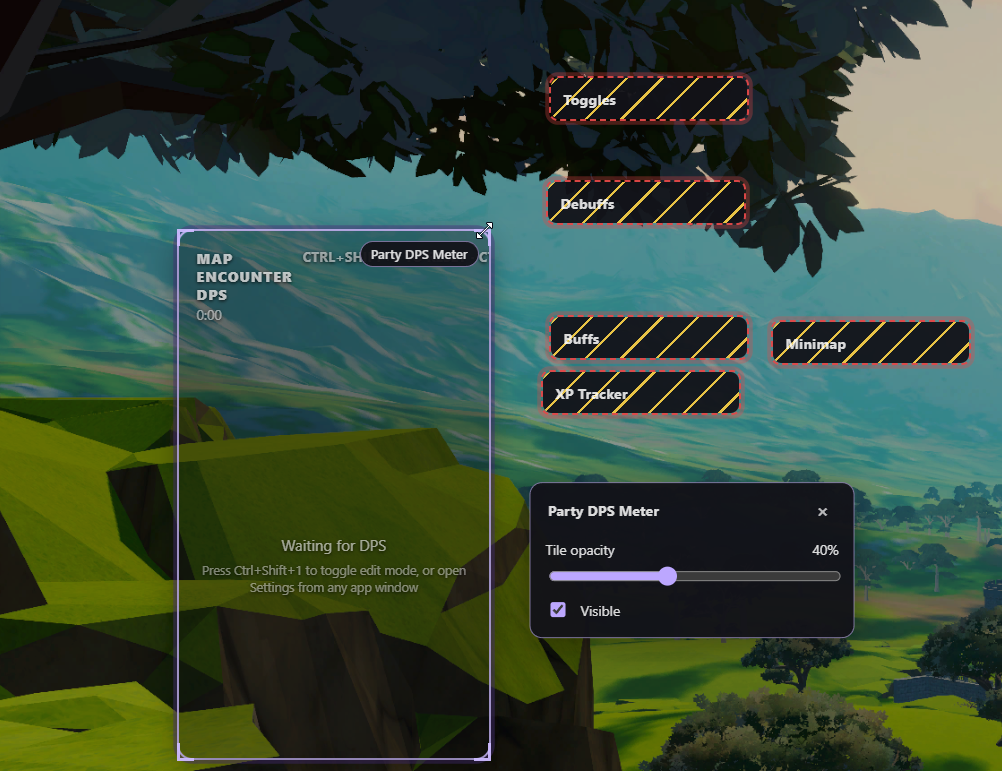
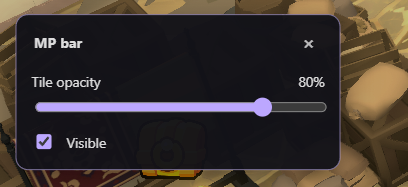
Each tile has its own opacity slider and a visibility checkbox in edit mode.
Which tiles are available, and which display each lands on, is set in Settings > Overlay.
Default hotkeys
| Shortcut | Action |
|---|---|
Ctrl+Shift+1 |
Lock or unlock the overlay |
Ctrl+Shift+2 |
Reset the session |
Ctrl+Shift+3 |
Open the live death log |
Ctrl+Shift+4 |
Show or hide the overlay |
Ctrl+Shift+5 |
Cycle the party meter |
Ctrl+Shift+6 / Ctrl+Shift+7 |
Reset all-time XP / gold |
Ctrl+Shift+8 |
Cycle the boss timer tile between regions |
Tab |
Show or hide the minimap |
All of these can be rebound in Settings > Keybinds. Hotkeys pass through to the foreground program, so its normal action for the same combination still runs. Windows may also use Ctrl+Shift to switch input languages when configured that way.