Boss timers
Boss Timers tracks world boss respawns by region and channel. Gravestones you walk past are timed automatically; the current channel is shown at the bottom of the window.
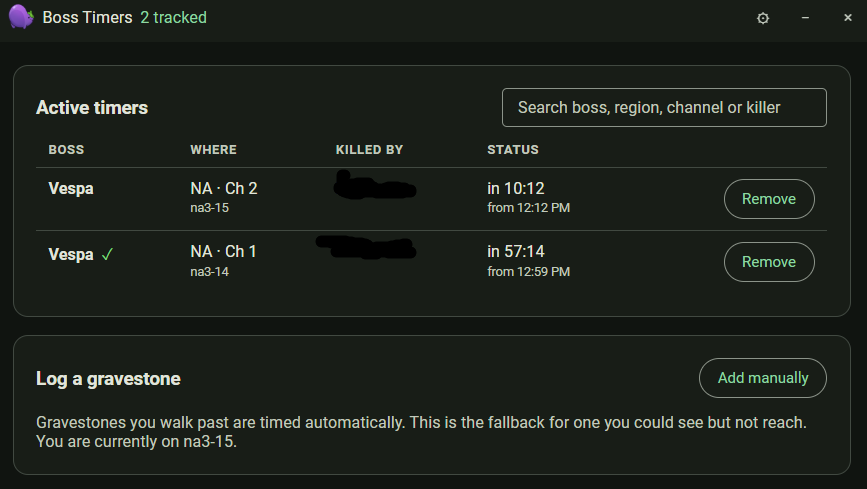
Each row shows the boss, where it died (region and channel), who killed it, and when it is next up. A green check marks a timer you can rely on. Use Add manually to log a gravestone you could see but not reach, and Remove to clear one.
Overlay tile
The boss timer overlay tile shows the next respawns for your current region.
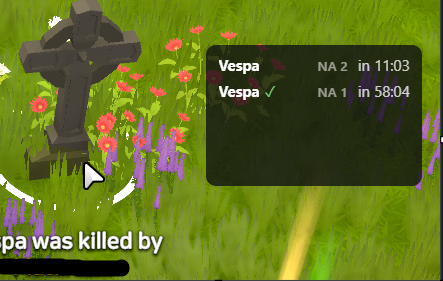
Press Ctrl+Shift+8 to cycle the tile between regions when you have timers in
more than one.