Combat
The Combat window watches the current combat.jsonl log and gives you live
DPS plus full analysis of past encounters.
Combat logs
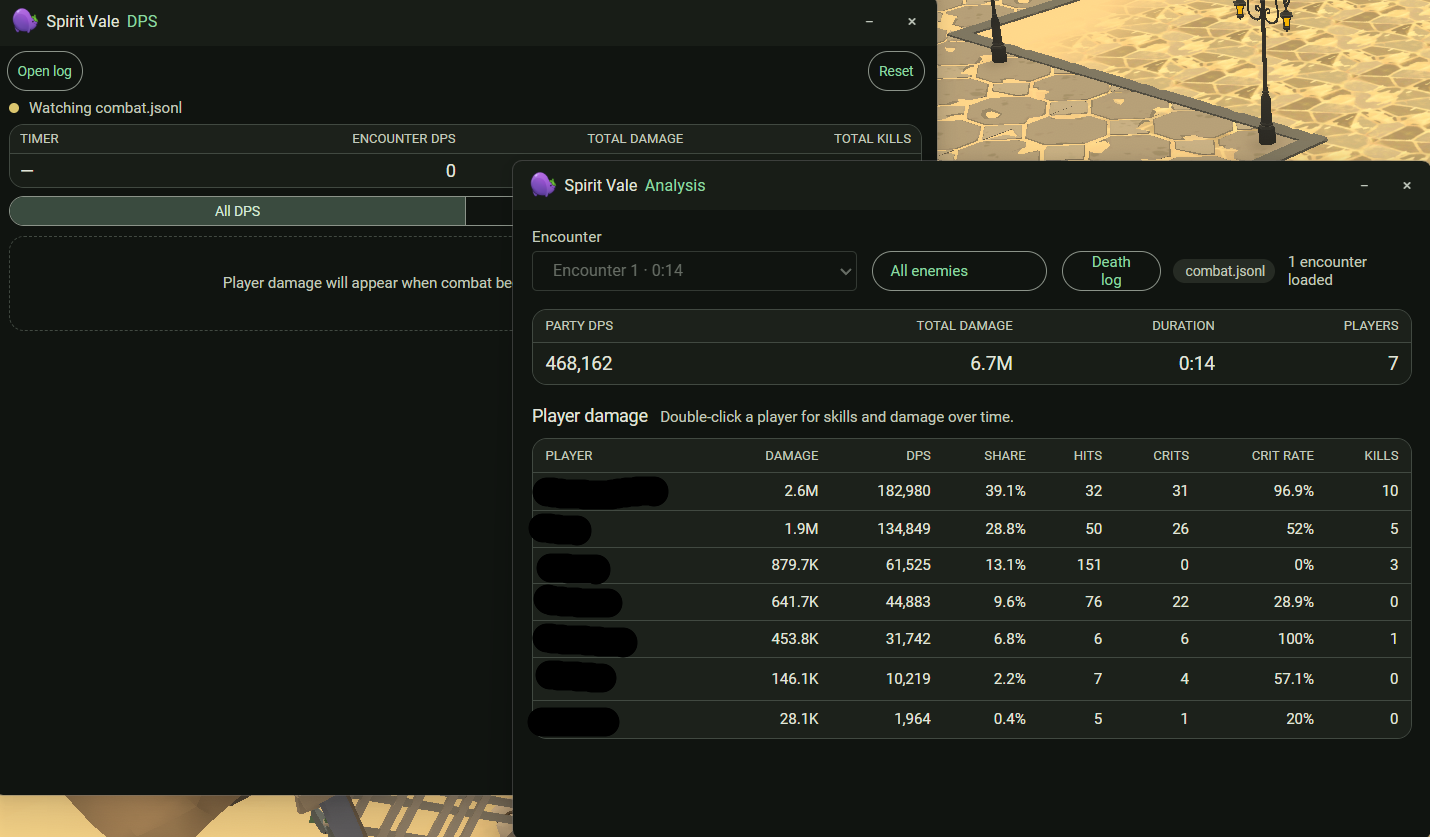
The analysis view breaks each encounter down by player: total damage, DPS, damage share, hits, crits, crit rate, and kills. Pick an encounter from the selector, and filter to a single enemy or All enemies.
Switch between Live and Past Log to review earlier sessions. How many past sessions are kept is set in Settings > Combat.
Past sessions
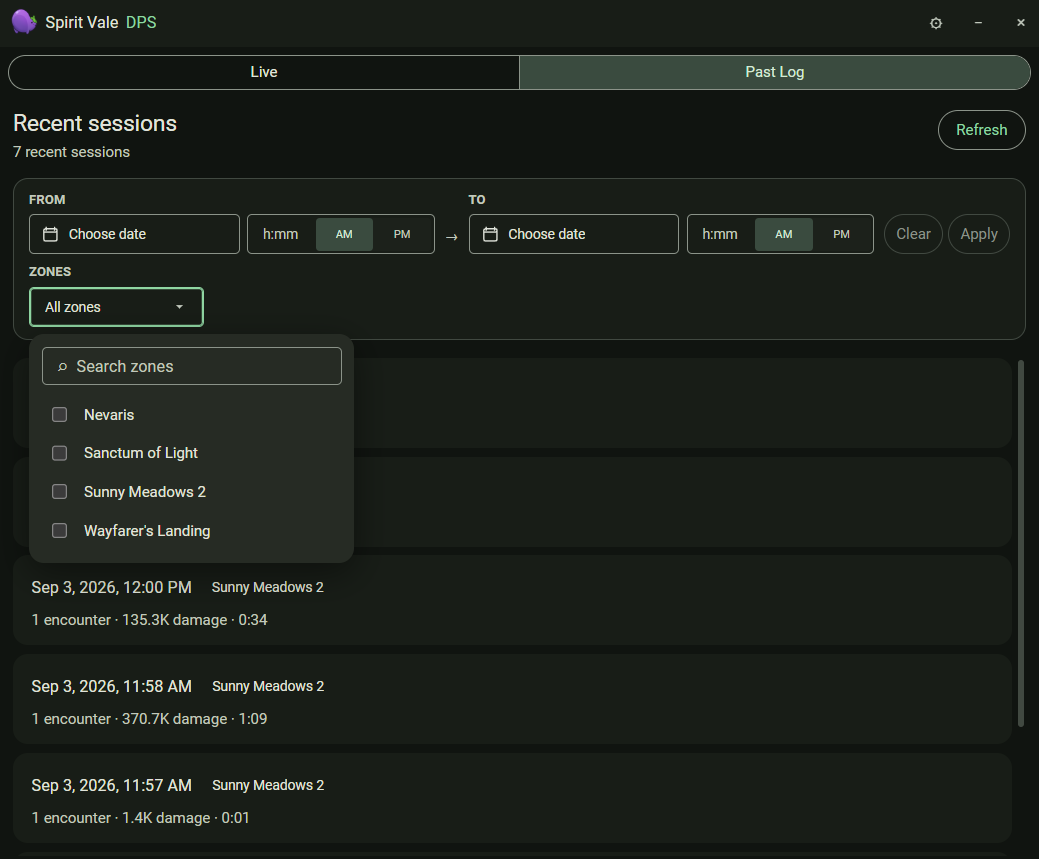
Past Log lists recent sessions, each showing its start time, zone, encounter count, total damage, and duration. Narrow the list with the From / To date and time fields and the Zones filter, then Apply; Clear resets the filters and Refresh re-scans the log folder.
Player detail
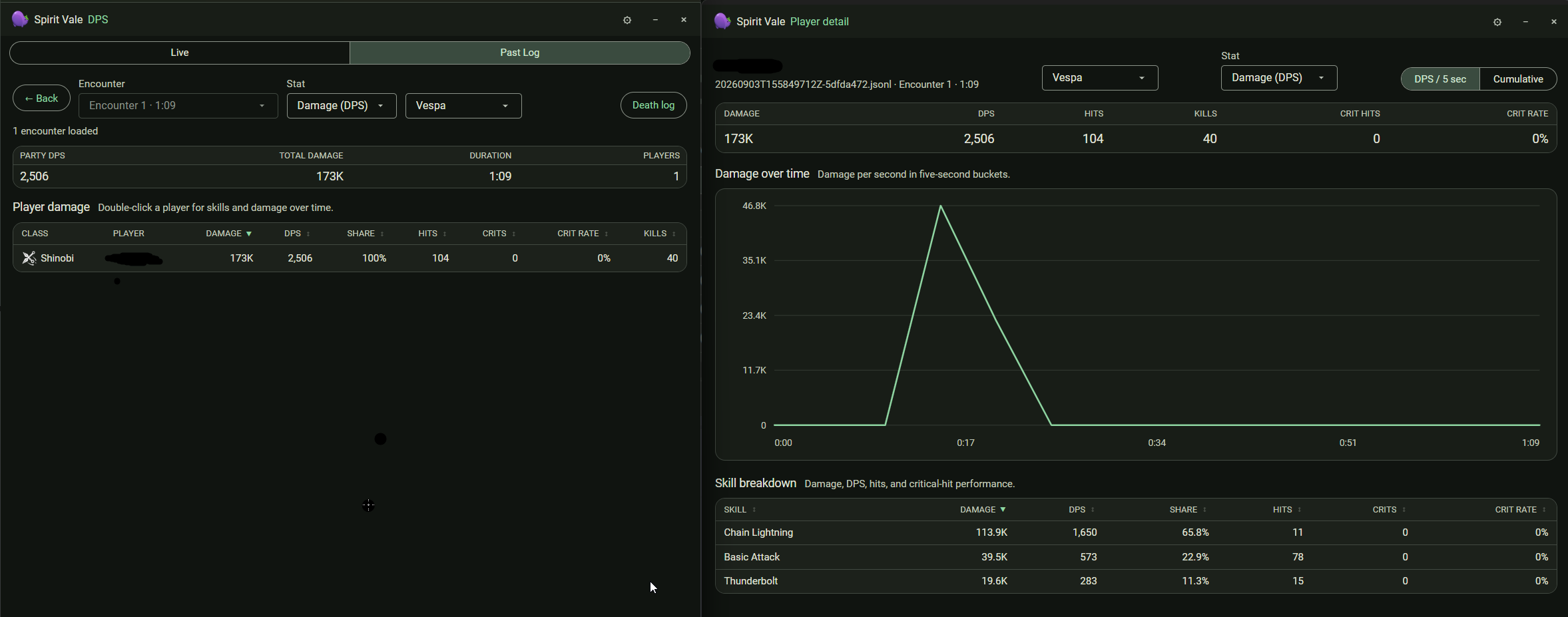
Double-click a player to open their detail view — damage over time in five-second buckets, and a per-skill breakdown with damage, DPS, share, hits, and crit rate. The enemy filter also applies here.
Death log
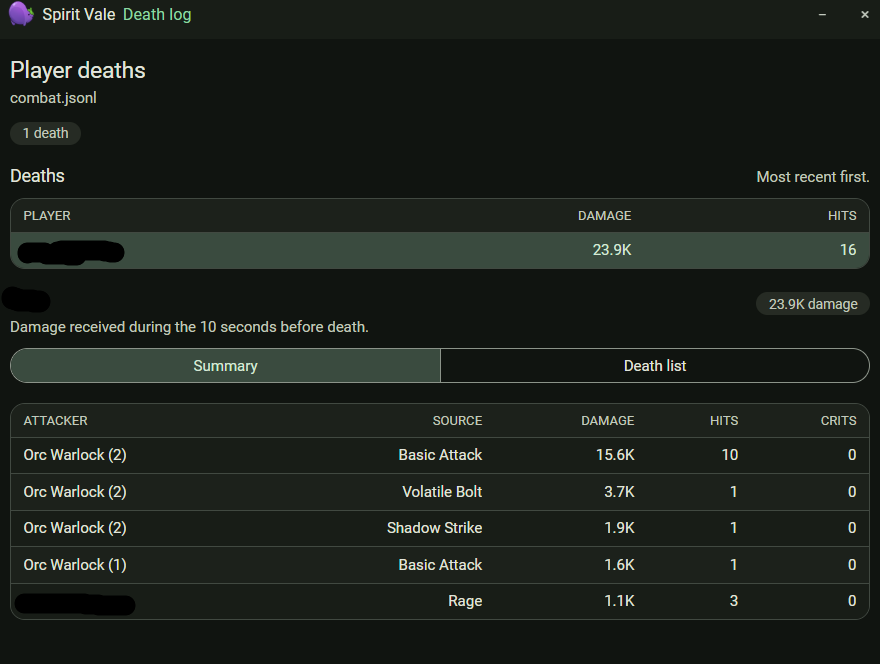
Press Ctrl+Shift+3 to open the live death log, or open it from the analysis
view. It lists each player death and the damage taken in the ten seconds
before it, grouped by attacker and source.
Because capture is proximity-based, damage reported for other players drops when they move out of capture range.